Five months before
19:42
Deposit paid on your website
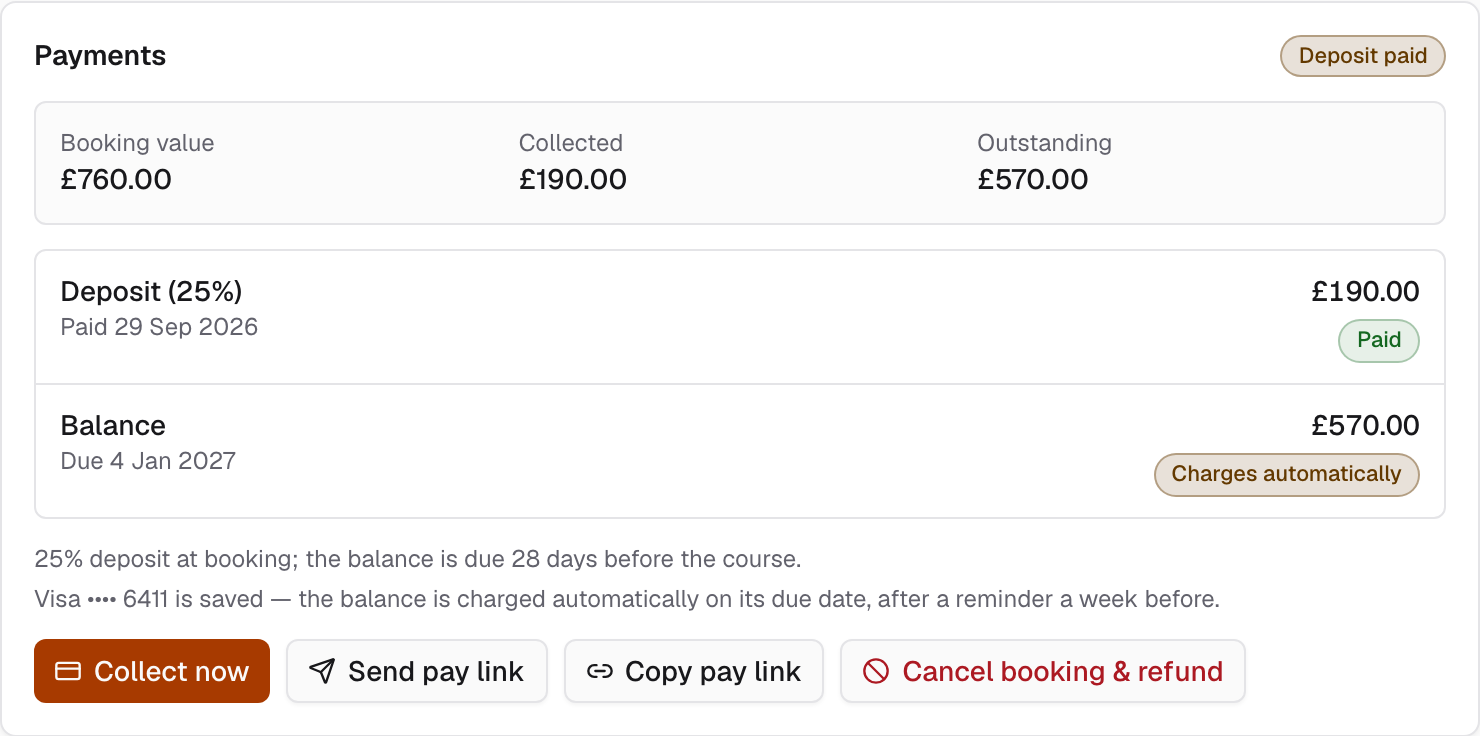
£190, 25% by card, straight into your own Stripe account.
Job 06 of 07 · Money and reports
Every payment goes straight to your school's own Stripe account, and Keely never holds it. Invoices, refunds and vouchers are written for you, you see what each order made, and every report shows where its numbers came from.
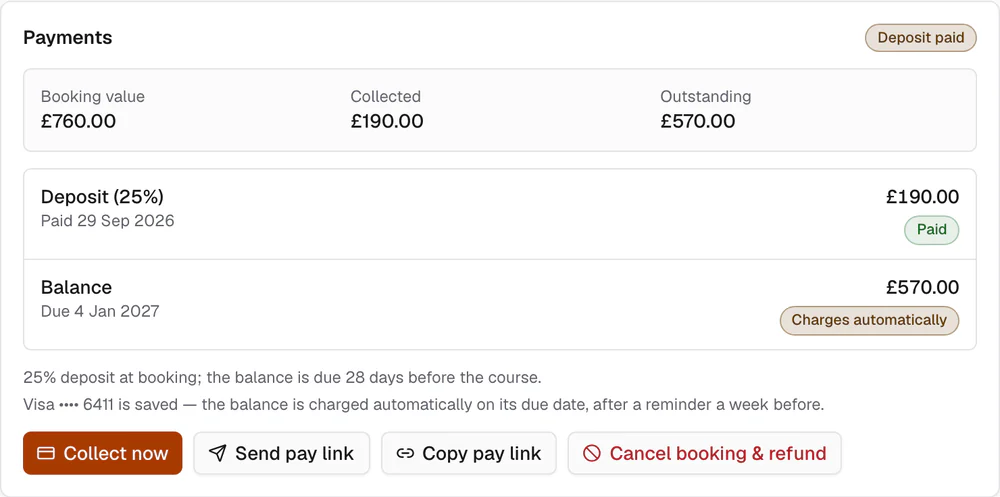
Order 10482 · payment trail
Five months before
19:42
£190, 25% by card, straight into your own Stripe account.
Two days later
09:00
Less Stripe's card fee. Stripe pays it out on your own account's schedule.
28 days before
06:00
£570, taken on the date set at booking. If the card is declined, Hannah gets a link to pay.
At any point
£0.00
Payments land in your Stripe account. Keely's 1.5% is shown as its own line on each order, and we never see card details.
The Stripe fee is an example.
Invoices, refunds and vouchers
Every order gets a numbered PDF invoice. A refund gets a credit note with its own number, so your accountant can follow both.
Refund the whole order or part of it. If someone paid with a voucher and a card, Keely splits the refund between them correctly.
Sell vouchers people can give as presents. Customers can pay with a voucher and a card together, and you can refund to credit when someone would rather book again.
Card, Apple Pay, Google Pay, Klarna, PayPal and more, all through Stripe. Each one works once you switch it on in your Stripe account.
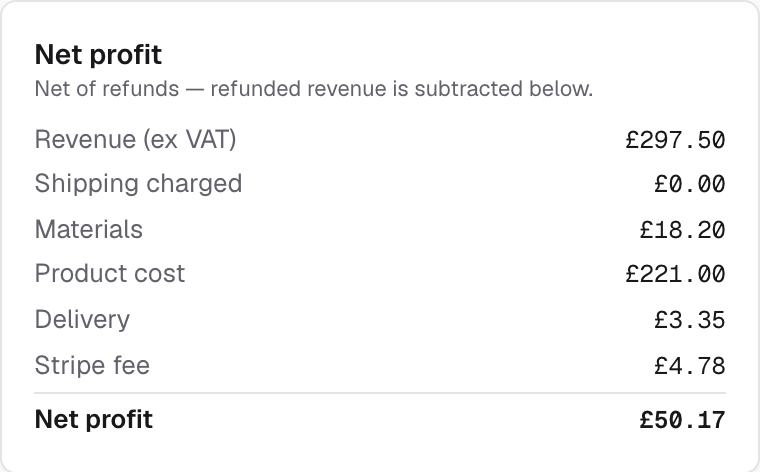
What each order made
Keely takes off VAT, materials, postage, Stripe's card fee, any partner school's commission and Keely's own 1.5%. Each line shows how it was worked out. Instructors, fuel and boats are not part of this sum.
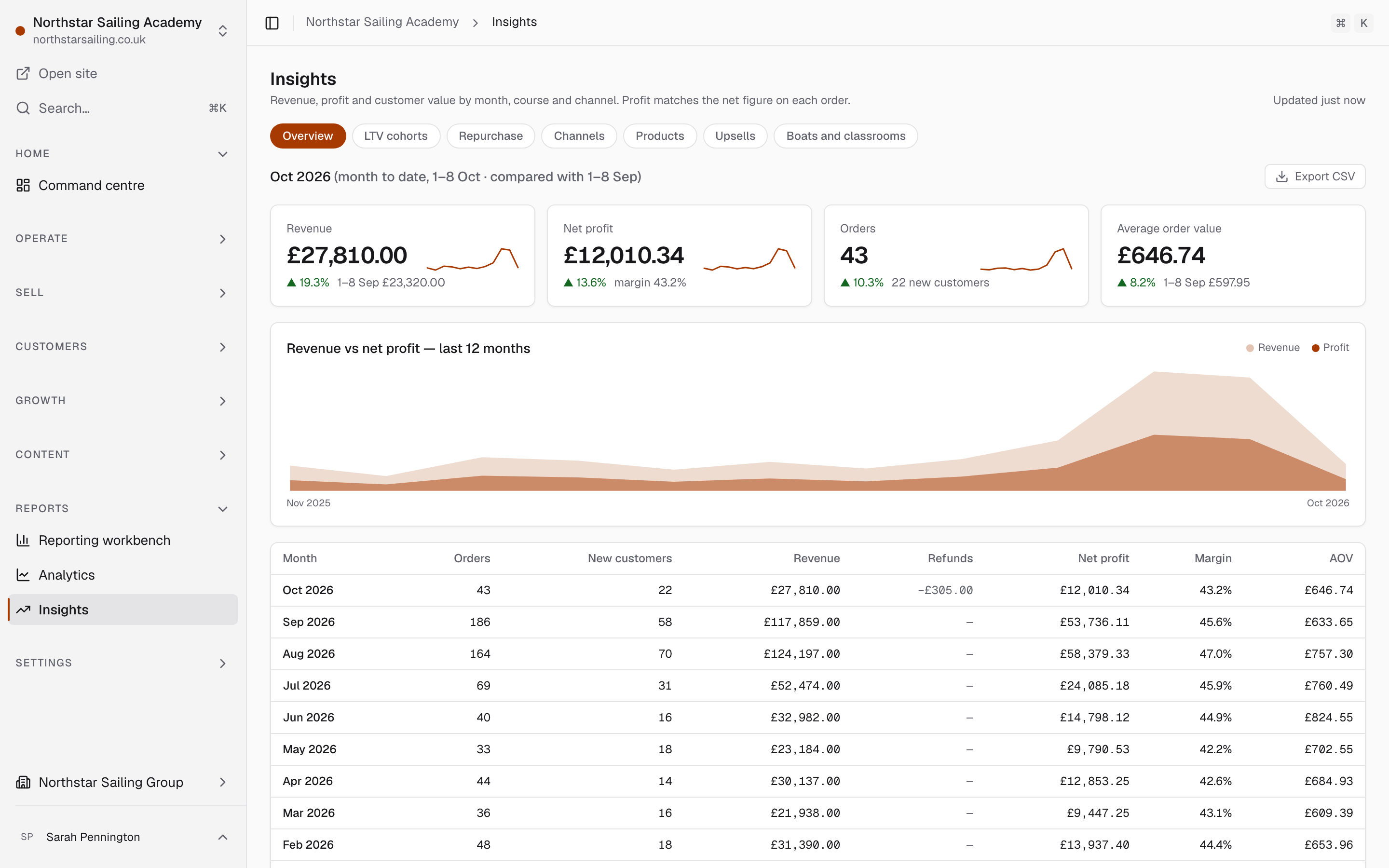
Reports
Bookings, sales, and boats and rooms in use. Each report says where its figures came from and when they were last updated. Download it as a spreadsheet or a PDF for your accountant.
06:00
On the day a balance is due, the card the customer saved is charged before the office opens. If it can't be, they get a link to pay.
Your accounts
Payments, invoices and credit notes end up where your bookkeeper expects to find them.
Your own Stripe account. Payments and refunds happen there, Stripe pays out to your bank, and Keely records each payment and refund against its order.
Sailing Course Online · since 9 Oct 2026 Sailing Course Online's customers pay into its own Stripe account, and Keely records each payment against its order.
Connect your Xero account and Keely posts each invoice and credit note to it, so nobody types them in again.
Invoices, credit notes and every report download as a spreadsheet or a PDF.
Invoices and credit notes posted to QuickBooks or FreeAgent, for schools that do not use Xero.
Take card payments at the desk, recorded against the order as they happen.
Questions
No. Payments go straight into your own Stripe account, and Stripe pays them out to your bank. Keely's 1.5% is shown as its own line on each order, and we never see card details.
Yes. Record them against the order in Keely. They show in your reports like any other payment, and we charge nothing on them.
Yes. Connect your own Xero account and Keely posts invoices and credit notes to it as they happen. Every report also downloads as a spreadsheet for your accountant.
Yes. Every report downloads as a spreadsheet or a PDF, and each one shows how its figures were worked out.
£150 a month for each school, plus 1.5% of bookings paid online, pay links included. Nothing on cash or bank transfer. Stripe charges its own card fees. Billed monthly, and prices exclude VAT.
Book a walk-through
Book a walk-through
Thirty minutes with Jake. Tell us how you take deposits and balances now, and we will show you the same courses in Keely. No slides.

Jake Holmes runs every walk-through.
If Keely isn't right for you in the first 60 days, leave and pay nothing more. We'll hand you your data.
Times shown in UK time
Not taking bookings right now
Email us at hello
We use your details only to arrange the walk-through. Privacy notice: keelyapp.com/legal/privacy
An occasional email about what's new in Keely. Unsubscribe any time.